

Free and Half-Price Quantum Compute for qBraid
Link your qBraid and Open Quantum accounts once and run the code you already have on QPUs from IonQ, Rigetti, IQM, and AQT. Start with $50 in free credits, refreshed every 90 days, then keep running at half the price of going direct.
Read the full announcement×
Open Quantum is now built into qBraid Lab
Quantum Rings and qBraid have partnered to give the qBraid community the lowest-cost path to quantum hardware: connect your accounts once and run on IonQ, Rigetti, IQM, and AQT with free credits and half-price compute, straight from the tools you already use.
Free compute, every 90 days
$50 in free credits on every account, refreshed every 90 days. No credit card and no qBraid credits needed.
Half price after that
Public Compute delivers the same QPU results at half the price of going direct, on IonQ, Rigetti, IQM, and AQT.
Connect once, in minutes
Link your qBraid and Open Quantum accounts from your qBraid profile. Your existing circuits and notebooks run as-is.

Kanav Setia, CEO of qBraid (left), and Bob Wold, CEO of Quantum Rings
“The next big quantum breakthrough could come from a student or a developer who's never had a way onto real hardware. Until now.”
Bob Wold, CEO, Quantum Rings
Up and running in 3 steps
Connect your accounts
Link qBraid and Open Quantum once, from your qBraid profile. It takes about a minute and stays linked.
Write with qBraid
Use qBraid Lab or the SDK as usual. Your existing circuits and notebooks just work.
Run free, then half price
Pick IonQ, Rigetti, IQM, or AQT and run. Your free credits cover it, then Public Compute is half the price of going direct.
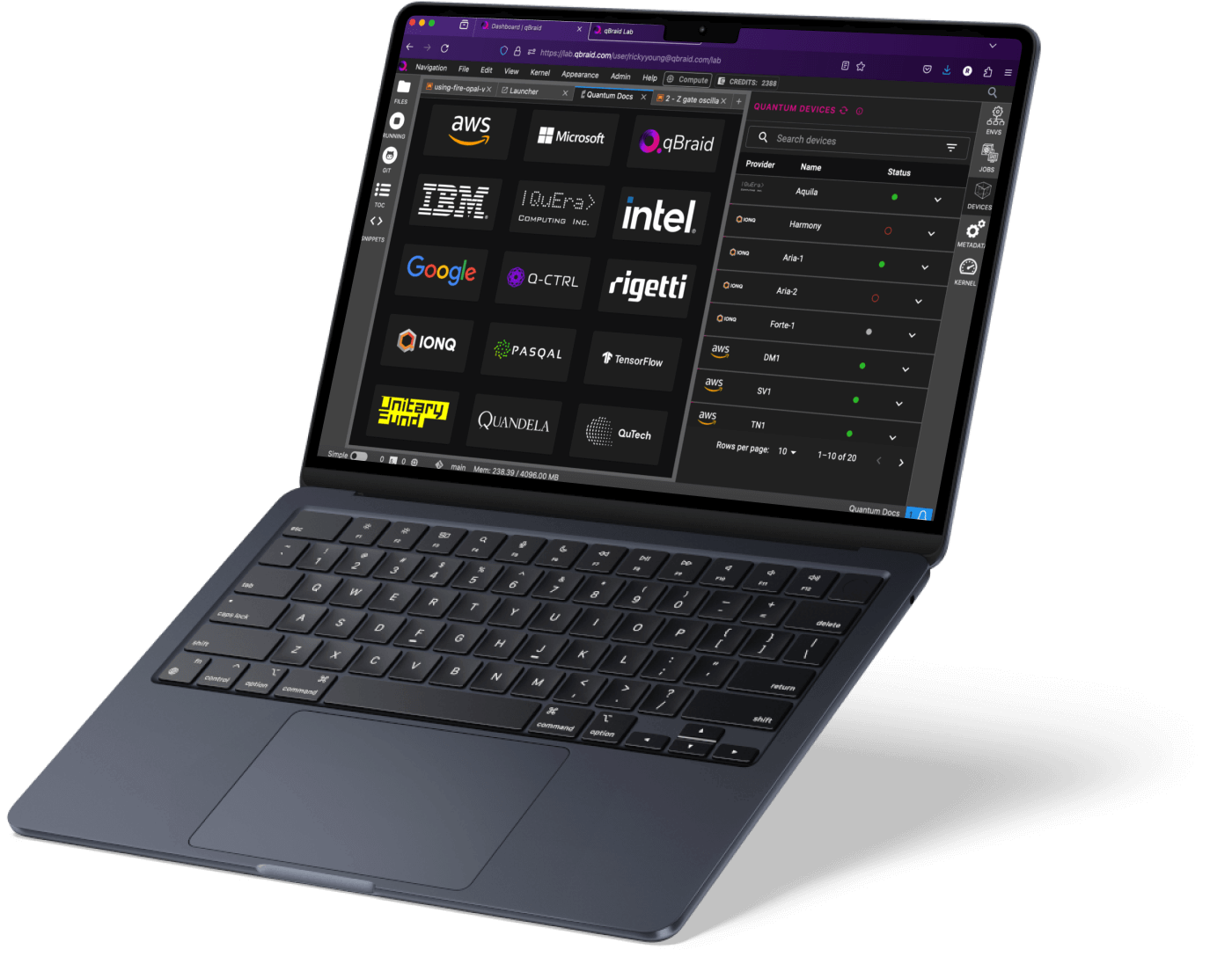
Image courtesy of qBraid
One line to a real QPU
Point the qBraid runtime at an Open Quantum backend and run a Bell state on real hardware, billed to your free Open Quantum credits. The same code runs in a qBraid Lab notebook or your own editor.
from qbraid.runtime import QbraidProvider
from qiskit import QuantumCircuit

# Your qBraid API key (auto-detected inside qBraid Lab)
provider = QbraidProvider(api_key="YOUR_QBRAID_API_KEY")

# Target an Open Quantum backend
device = provider.get_device("openquantum:iqm:qpu:garnet")

# Build a Bell state with standard Qiskit
circuit = QuantumCircuit(2, 2)
circuit.h(0)
circuit.cx(0, 1)
circuit.measure([0, 1], [0, 1])

# Run on real quantum hardware
job = device.run(circuit, shots=100)
result = job.result()
print(result.data.get_counts())“Bringing Open Quantum onto the platform gives our community new opportunities to access low-cost quantum compute.”
Kanav Setia, CEO, qBraid
Real QPUs, one interface
Trapped-ion and superconducting hardware from IonQ, Rigetti, IQM, and AQT, all at half the price of going direct. Switch between them with a single device id.
| QPU | Qubits | Technology | Provider |
|---|---|---|---|
| IonQ Forte-1 | 36 qubits | Trapped Ion | Learn more |
| Rigetti Cepheus-1 | 108 qubits | Superconducting | Learn more |
| IQM Emerald | 54 qubits | Superconducting | Learn more |
| IQM Garnet | 20 qubits | Superconducting | Learn more |
| AQT Ibex-Q1 | 12 qubits | Trapped Ion | Learn more |