

Visual Studio
Write, validate, and run OpenQASM in Visual Studio
Browse live backends, run OpenQASM circuits on real QPUs and simulators, and follow jobs and results without leaving your editor. Syntax highlighting works before you even sign in, and new accounts start with $50 in free credits.
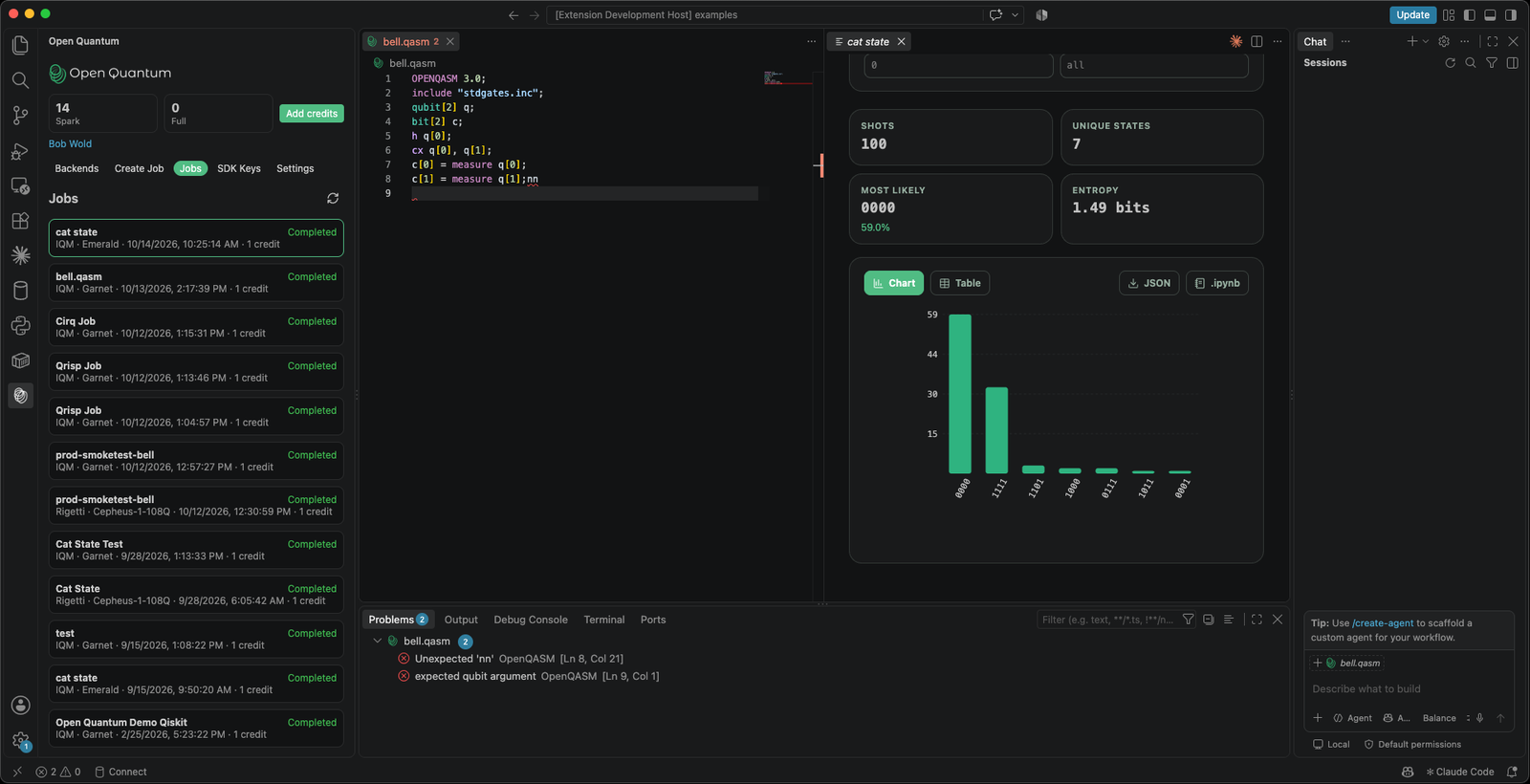
Run a circuit and see its status and measurement counts without leaving the editor.
OpenQASM 2 and 3, built in
Syntax highlighting and inline error checking for .qasm, .qasm2, .qasm3, and .openqasm files, with problems flagged as you type. Works out of the box, no account needed.
Explore every backend
Browse backends with live status, queue depth, and Spark availability, including your private devices. Open any one to see its coupling map and native gates, then select it to start a job.
Validate, quote, and run
Set a backend and configuration, then validate to get a credit quote before anything is spent. Pick a plan and a queue, and submit to real QPUs and simulators.
Jobs and results in the editor
Track your job history as it refreshes in place. Open any job for its status and credits, with measurement counts as a chart or table and downloads as JSON or a notebook.
Up and running in three steps
Install the extension
Install the Open Quantum extension from the Visual Studio Marketplace. Highlighting and error checking work immediately, before you ever sign in.
Set your SDK key
Create a key at openquantum.com/settings/keys and set it from the Open Quantum view. New accounts include $50 of free Spark credits.
Run a circuit
Open a .qasm file, pick a backend, review the quote, and submit. The job opens in the Jobs explorer with status, credits, and a counts chart.
The whole workflow, in the editor
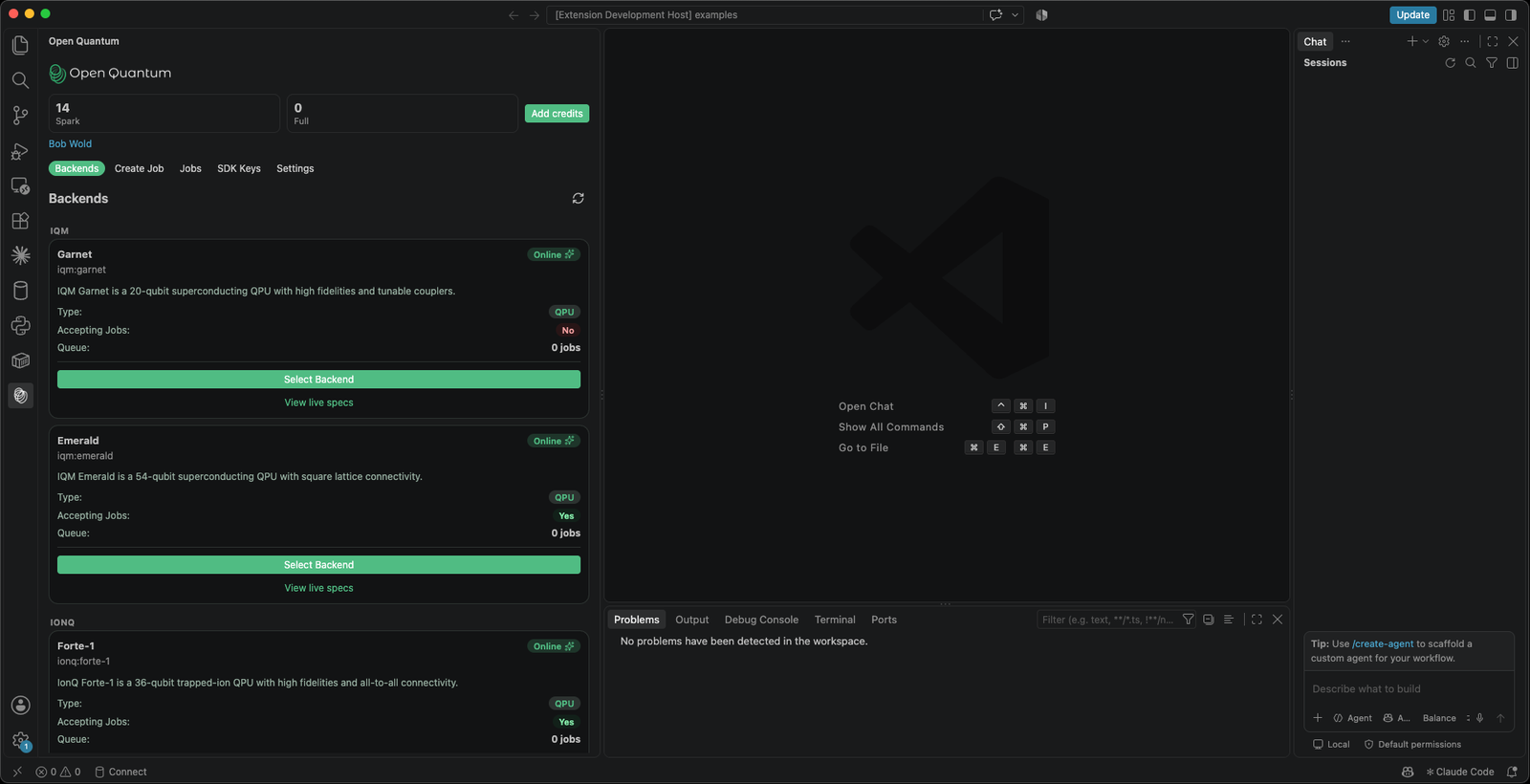
Browse backends
Live status, queue depth, and Spark availability for every backend in your organization.
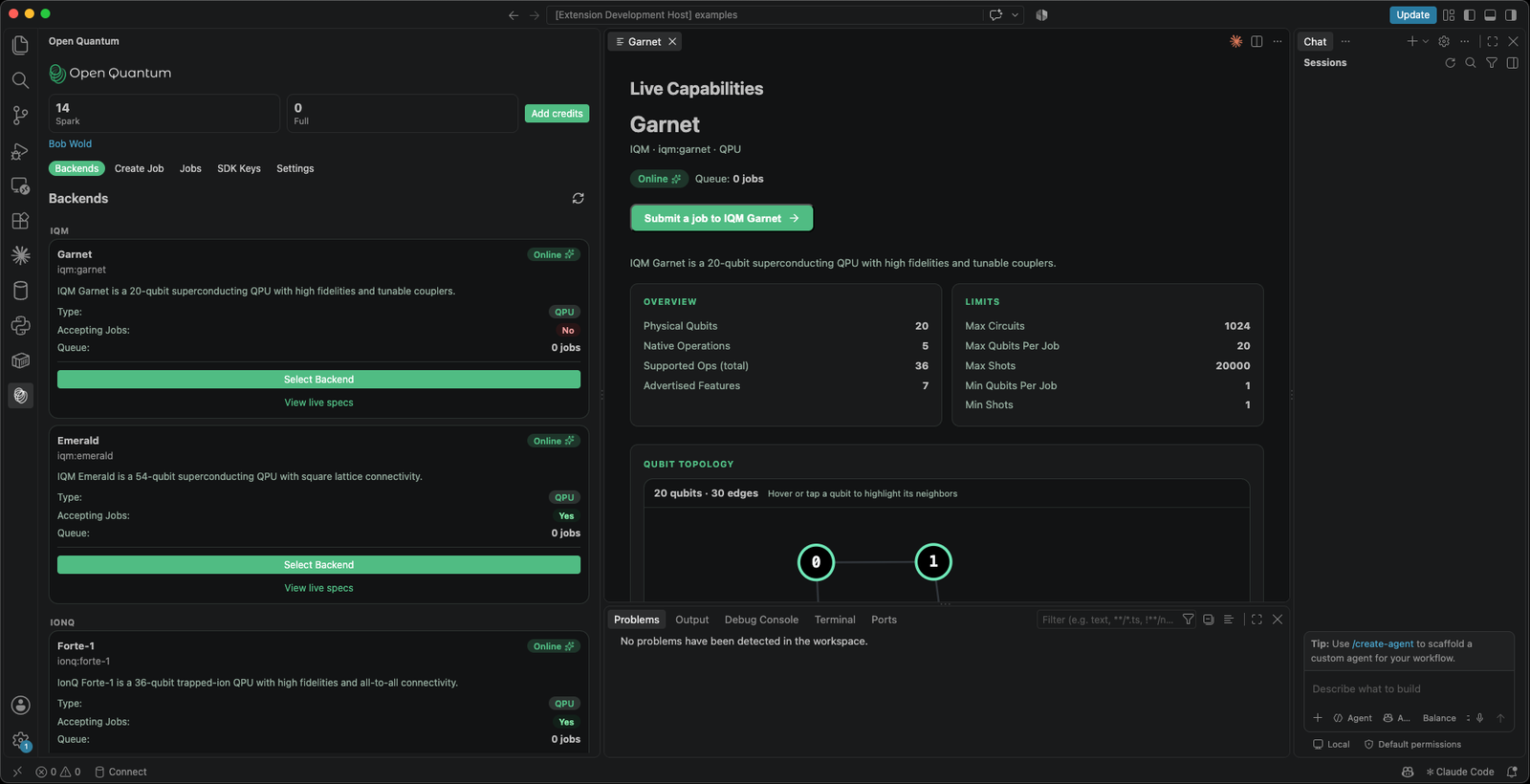
Inspect a device
View live specs on any backend: its coupling map, limits, and native and accepted gates.
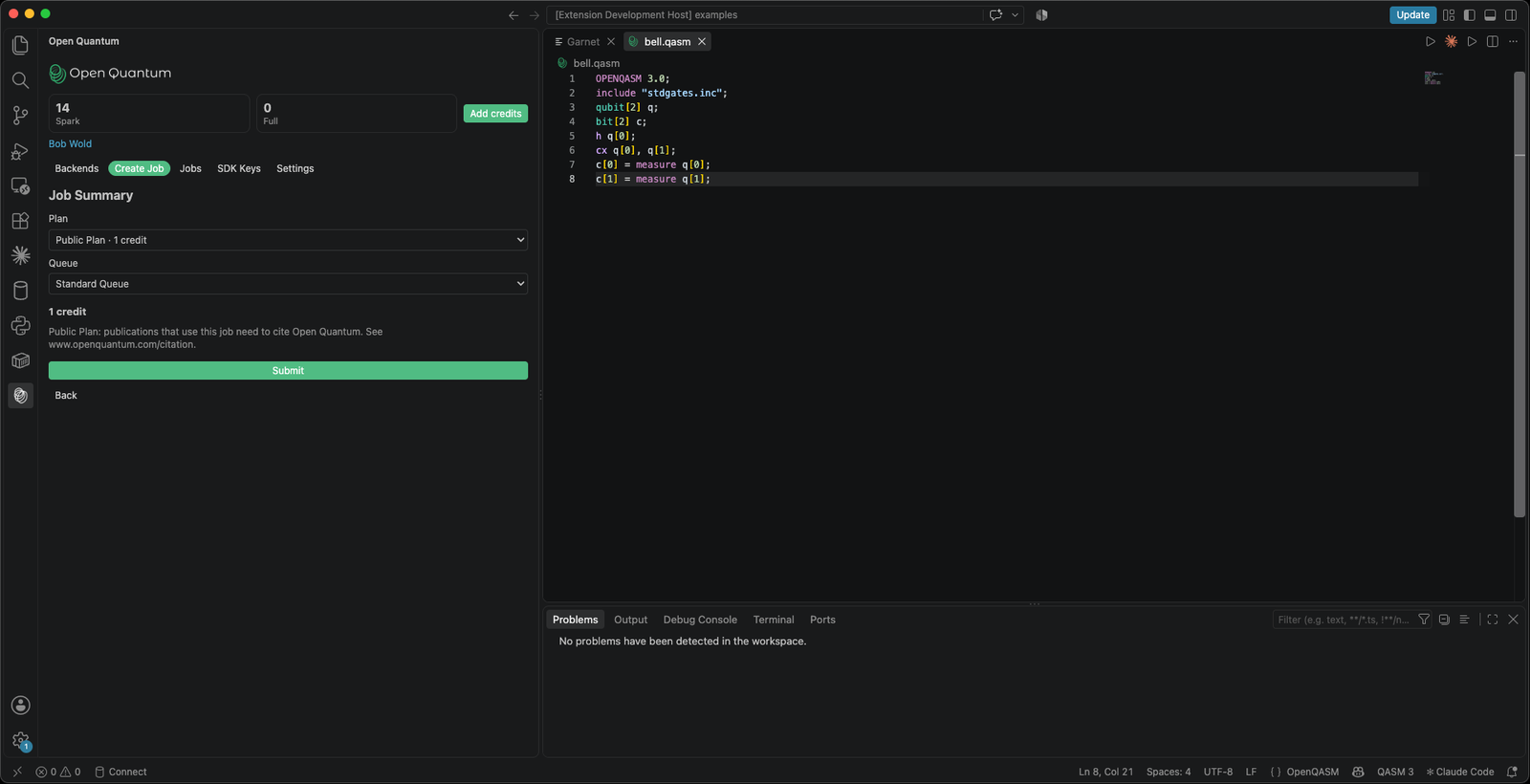
Validate before you spend
Validate returns a credit quote as the Job Summary, so you know the cost before you submit.
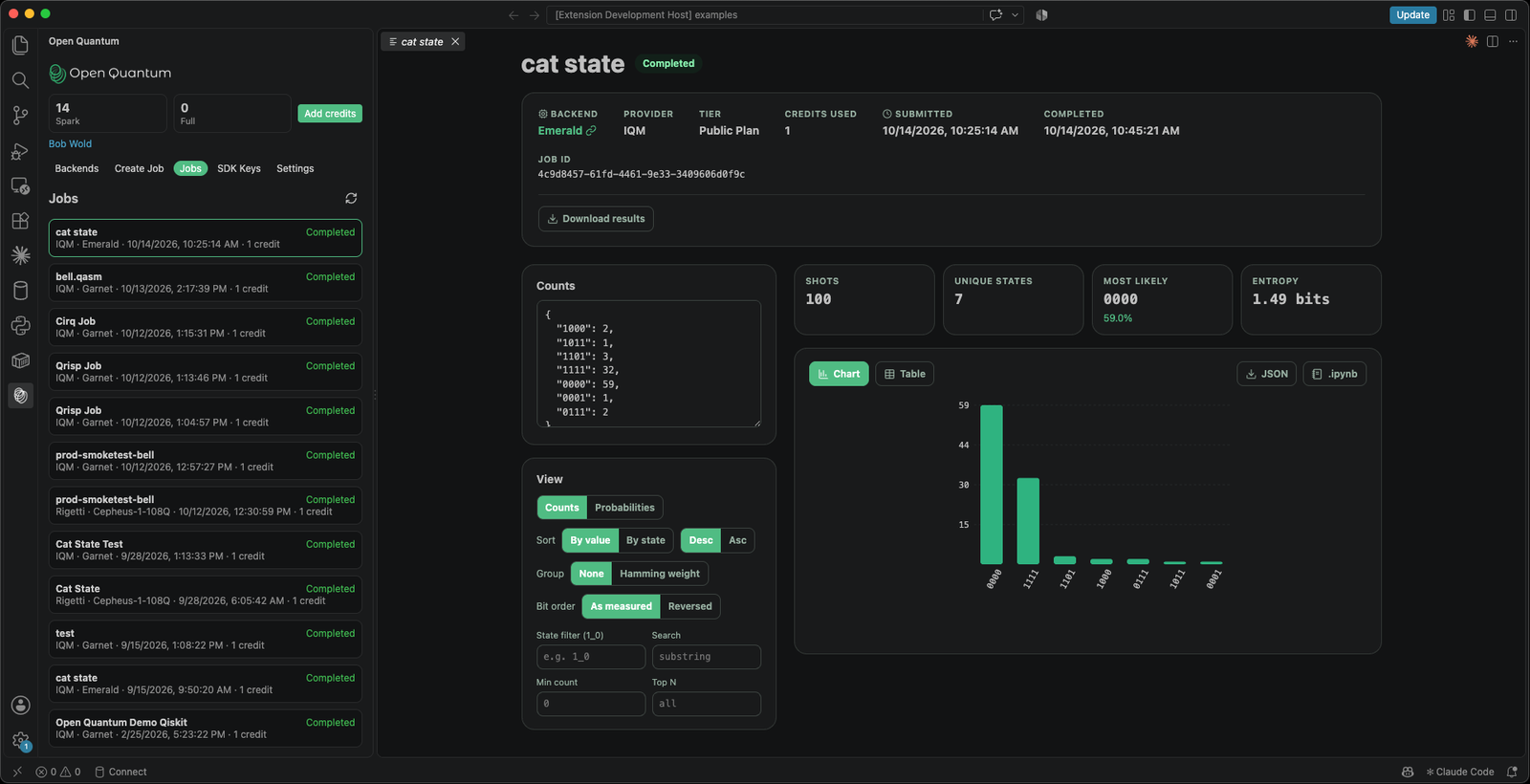
Read your results
Measurement counts as a chart or table, with state filters, a bit-order toggle, and JSON or notebook downloads.
Open a circuit, pick a backend, run
Write OpenQASM the way you always have. Open the file, choose a backend in the Open Quantum view, review the credit quote, and submit to real hardware.
OPENQASM 3.0;
include "stdgates.inc";
qubit[2] q;
bit[2] c;
h q[0];
cx q[0], q[1];
c[0] = measure q[0];
c[1] = measure q[1];Frequently Asked Questions
More ways to use Open Quantum
AI Agents (MCP)
Run and manage quantum jobs from Claude, Cursor, and any MCP client.
Learn moreqBraid
Run qBraid circuits and notebooks on real QPUs through Open Quantum.
Learn morePrefer to write code? Explore frameworks like Qiskit and PennyLane.